
|

WPGR: Learn about the Developer Tools in your browser

Firefox Developer Tools – Topher

  • Inspector – look at HTML/CSS behind a web page
    • Responsive Display Mode
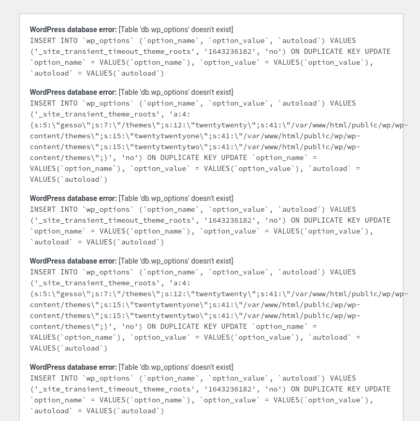
  • Console – look for errors (security/resource loading issues)
    • Different results depending on when you open – loading vs loaded
  • Debugger – for JavaScript
  • Style Editor – for changing CSS
  • Performance – monitoring page load performance
  • Network –
  • Storage – Local browser items, page cache, cookies, etc.

Chrome Developer Tools – Brian

  • Shortcuts – keyboard commands to open dev tools (CTRL-OPT-I[Mac OS X]/CTRL-SHIFT-I[ChromeOS])
  • Docking – SHIFT-CMD-D(Mac OS X) / CTRL-SHIFT-D(Chrome OS)
  • Elements (inspector)
    • Styles – Filter allows for viewing specific CSS states (i.e. :hover)
      • Add specific element styles
      • Color Swatch – has a color picker, can save swatches
    • Computed Styles
      • View a visual representation of spacing
      • See the CSS that has been applied
    • == $0 – can be referenced in the Console
  • Console
    • Settings
      • Preserve logs – allow you to preserve your console log on page loads
      • Show timestamps
    • Filter – allows you to filter out just the console log entries you are interested in
  • Application – web page/site browser storage/cache/etc
  • Sources
    • Can reformat sources for browsing (Pretty Print), helps with setting breakpoints
  • Network
    • Disable cache – to load all assets fresh to see first load performance
    • Offline – slower connection throttling performance testing, offline asset loading tests
  • Performance
    • Runs a profile of a site over a period of time

Tips

  • Chrome Dev Tools
    • Delete Key – with undo, add/remove elements with the keyboard
    • Outline: set a 1px overlay board to see the shape of objects
    • Minified files can reference a map file to read the source
    • hackernoon.com

Safari Developer Tools

  • Dev tools can inspect what’s running on a mobile device

Similar Posts

  • / / / /

    Looking Back on 2017, the Year of Firsts

    I don’t recall if I’ve ever written any sort of year-in-review blog post or even social media post, but this year I have had so many firsts that I wanted to reflect on and share my thanks for. Health In the health department I not only reached my initial target goal weight but actually surpassed it, and my second target. I think this year I’ve weighed the least that I have in 26 years. I have always struggled with my weight and living a more healthy lifestyle. I attribute my success primarily to my wife, and also to the encouragement of many friends and family. I also had to have a lot of self-determination as well, but that was only had by seeing the impact my…
  • /

    WordPress US 2019 – Design Systems: Crafting For Crafters – Jon Quach

    Jon Quach – https://jonquach.com/ Design Systems are important but can be complicated and hard to understand. What Are Design Systems? They are about process. They make up the interfaces and designs of a product. They help answer many design and development questions. What Are The Challenges of Design? There can be a breakdown of handoff between design and development. Things don’t always end up the way they were intended. No documentation. Nobody knows how developer created things. It’s not because people are bad at their jobs or don’t care. Lacking the understanding of how user interfaces and experience should work together. How Do You Create A Design System? You create a Design System to empower the team building the product. End users don’t care about…
  • Back to Blogging

    So I follow a lot of WordPress folks, given that I manage multiple WordPress sites and have been apart of multiple WordPress development efforts. Aaron Jorbin recently blogged about a few simple ways to blog more. Here’s my first pre-2017 blog post, taking Aaron’s advice. Peru, Illinois, United States of America
  • / /

    WordPress DevOps – WordCamp Grand Rapids 2018

    1. Introductions Development History High School 1996 – Personal School Website – image maps with cgi-bin processing written in C 1996 – Davisco Foods International (First Freelance Job) – static HTML site College 2000 – Inspiration Point Christian Camp & Retreat Center – perl for form processing, PHP template-based site Post-College 2002 – Cross Roads Range Christian Camp – PHP CMS 2004-2006 – Church of the Lutheran Brethren of America & related ministries – PHP CMS, PHP Authorize.NET Donation Processing, osCommerce 2006 – iPCS Wireless, Inc. (telecommunications) – PHP & Perl 2011 – Ericsson/Sprint (telecommunications) – PHP/.NET/C#/Java 2012 – Allen Extruders/SPI (manufacturing) – PHP/Ruby/C#/.NET 2016 – Sprint (telecommunications) – Java/C#/.NET WordPress History Personal 2006 – Personal Blog 2006 – Faith Shaping Podcast 2008 – The Stamp Box,…
  • /

    WordCamp GR 2017 – WP-API: The Good, the Bad, and the Ugly – J Andrew Scott

    J Andrew Scott – http://rubberchickenfarm.com/ History of APIs RSS Advantages Fast & reliable Easy to consume Almost no technical footprint Disadvantages Read-only Static content No authentication No user-driven content (i.e. comments, favorites, etc) DIY API Advantages Dynamic content User-driven content App & user authentication Roles & permissions based Connected applications Disadvantages DIY OAuth Redundant URI scheme Mediocre performance Large technical footprint WP-API Advantages Succinct URI scheme Improved performance Small technical footprint Available in WordPress core Disadvantages Granular transactions No batch uploads Increased number of API calls What once required 2 web servers now required 12-15 servers WP-API Disadvantage Factors & Solutions Number of content types Solution: consolidate endpoints Volume of individual API calls Solution: batch processing endpoints Frequency of individual API calls Solution: page-level caching Lessons…

Leave a Reply

Your email address will not be published. Required fields are marked *

This site uses Akismet to reduce spam. Learn how your comment data is processed.

To respond on your own website, enter the URL of your response which should contain a link to this post's permalink URL. Your response will then appear (possibly after moderation) on this page. Want to update or remove your response? Update or delete your post and re-enter your post's URL again. (Find out more about Webmentions.)